Pine Script v6 vs v5: Why It Matters for AI-Generated Code
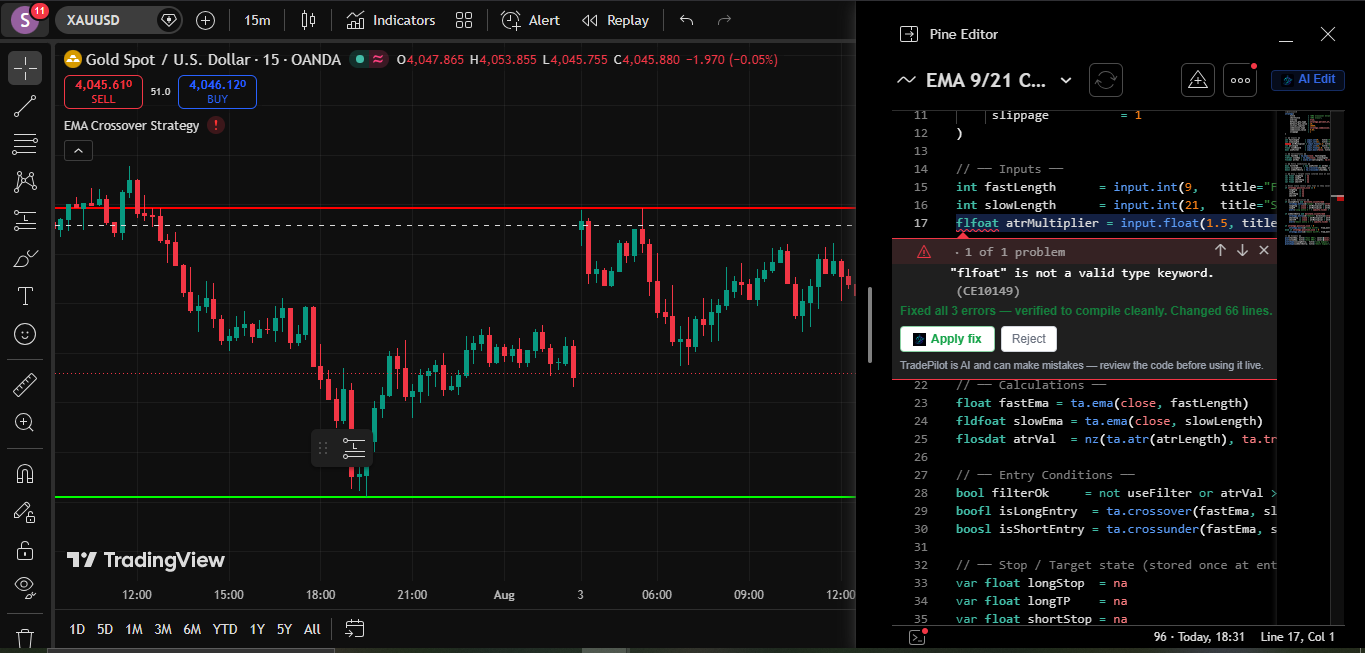
A lot of general AI tools still write Pine Script like it's v4 or v5. Here's what actually changed in v6, and why it breaks naive AI-generated code.
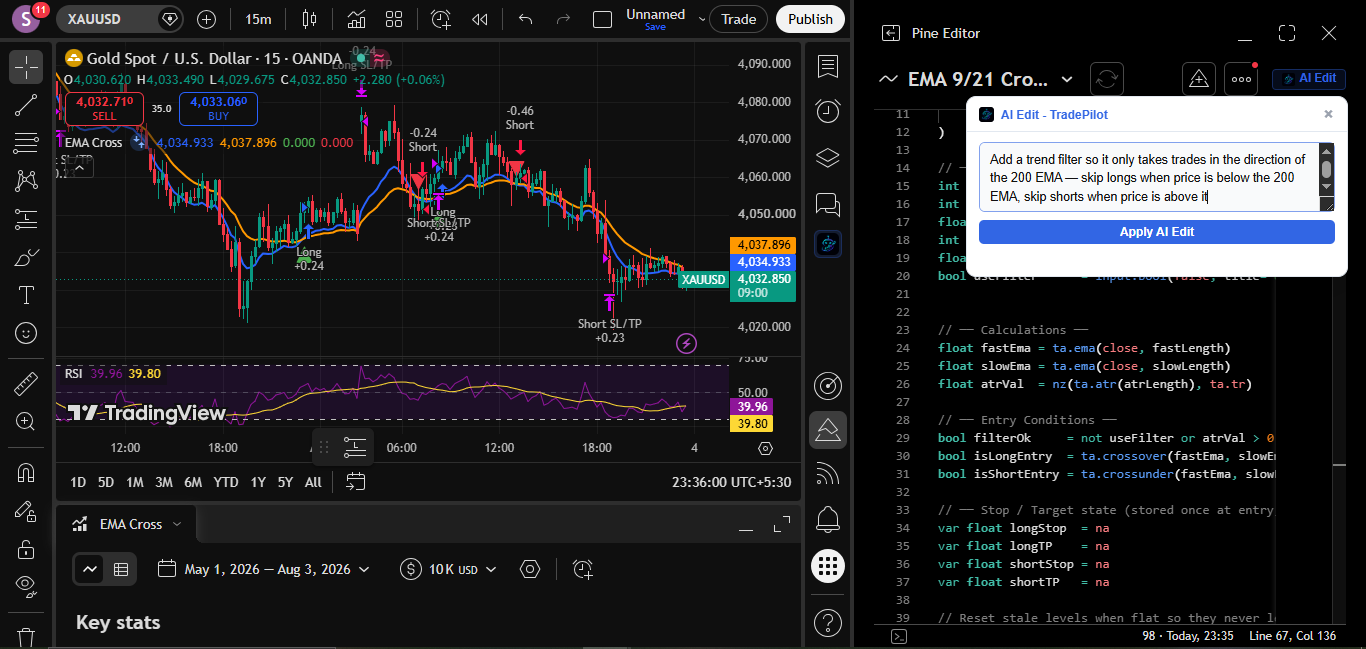
TradePilot is the AI copilot that lives inside TradingView. Ask in plain English and watch it analyze the chart, draw your levels, pull live data, and build Pine Script that runs. You type. It builds.
Copilot, not autopilot. No bots, no signals, no trades placed for you — the strategy stays yours, and the Pine Script is code you can read, change, and verify.
Real session. Real chart. No cuts.
[ capabilities ]
Analyze, control, pull data, screen, and build, without leaving your chart.
[ 01 · ANALYZE ]
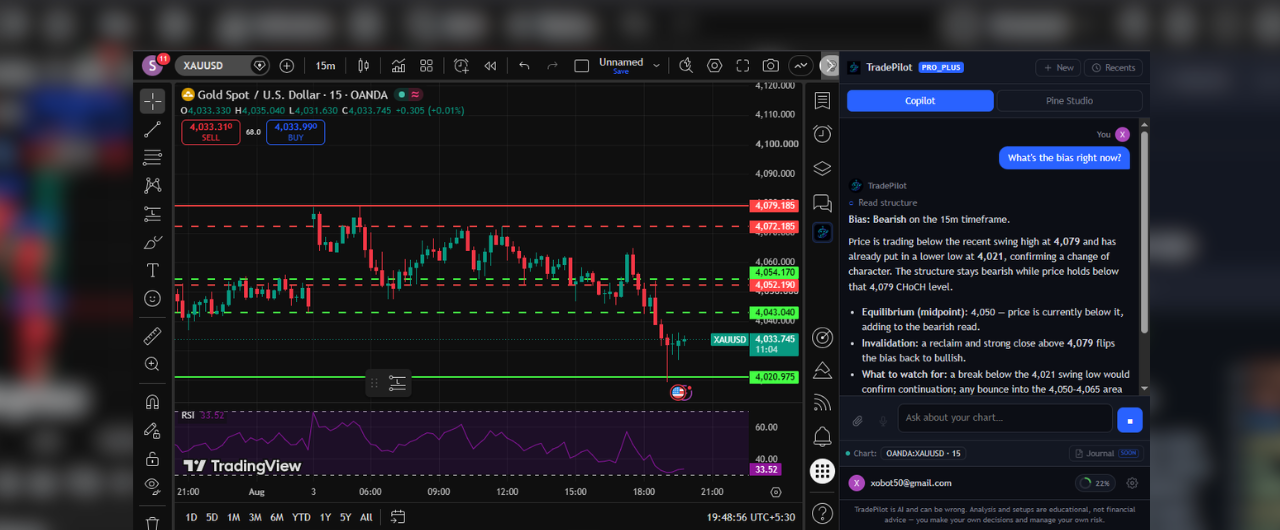
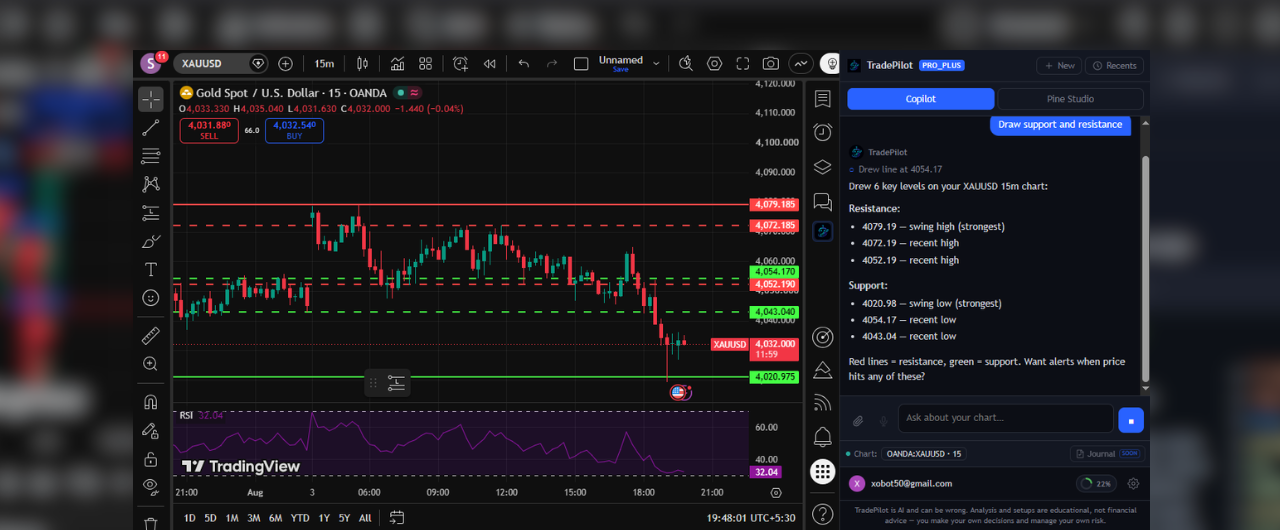
Say "analyze NIFTY". It reads structure across timeframes, marks support, resistance and Fibonacci on the actual chart, and hands you a plan: bias, key levels, invalidation.


[ 02 · CONTROL ]
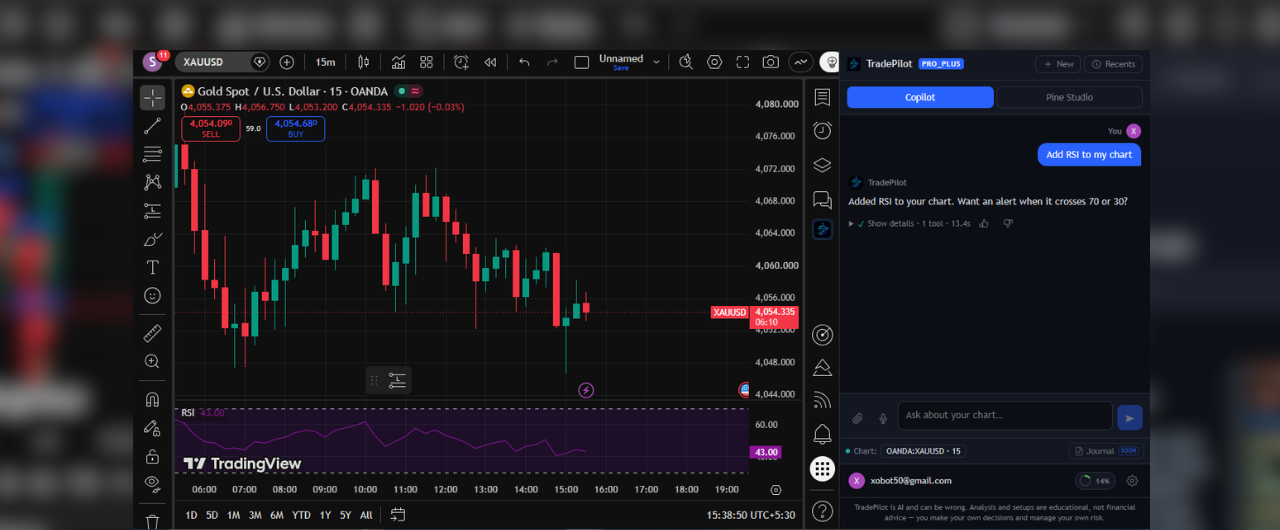
Switch symbols, flip timeframes, stack indicators, compare tickers, draw levels. Seventy plus chart commands, zero menu digging.
[ 03 · MARKET DATA ]
Live quotes, breaking news, fundamentals and technical ratings for any symbol. No new tabs, no context switching.


[ 04 · SCREEN ]
It sweeps every symbol you follow and surfaces what is actually moving, with the reason attached.
[ 05 · PINE SCRIPT ]
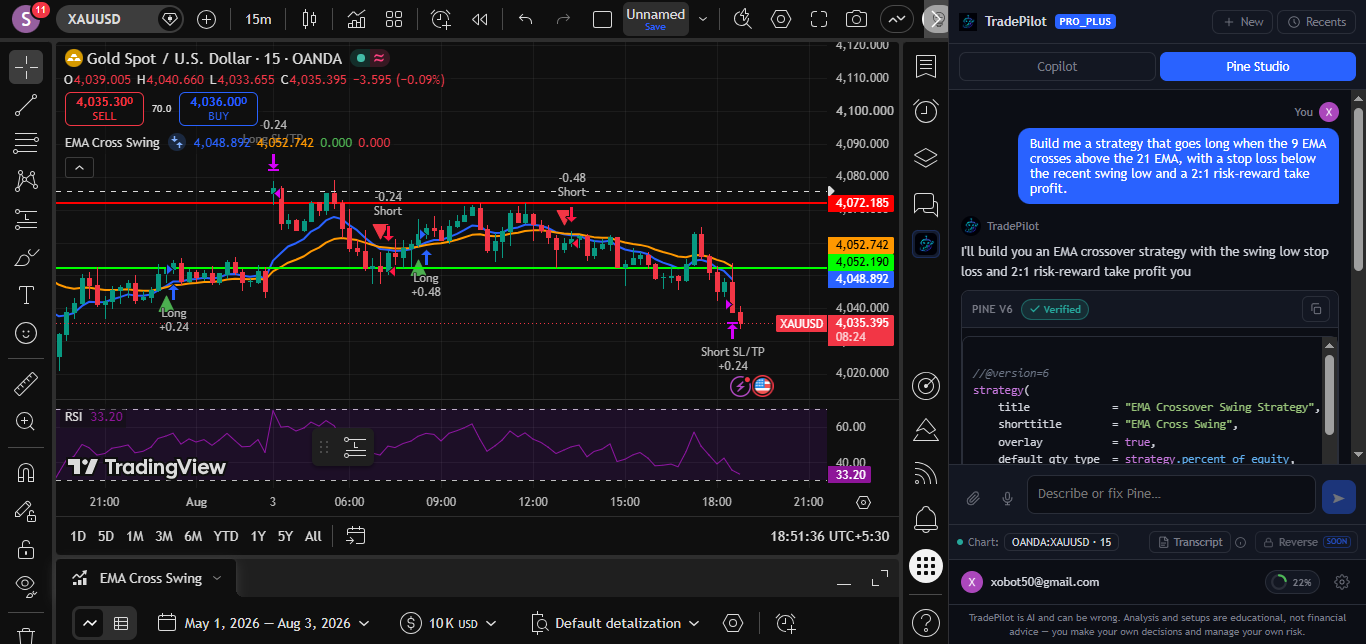
Plain English in, working Pine Script out: loaded into your editor and live on your chart. Building Pine that runs is where TradePilot started, and it is still what we do best.

[ how it works ]
$ install
One click from the Chrome Web Store. Open any TradingView chart and TradePilot is in your sidebar.
$ ask
"Analyze AAPL and draw the levels." "Add RSI." "Build me a breakout strategy." Plain English is the whole interface.
$ trade your plan
Levels drawn, indicators added, the plan in your chat, the Pine Script live in your editor. You never leave the chart.
We started as the AI for writing TradingView Pine Script. Now we are the full AI copilot for TradingView. And we still write the best Pine.
[ from the blog ]
Pine Script guides, AI trading insights, and strategy breakdowns
A lot of general AI tools still write Pine Script like it's v4 or v5. Here's what actually changed in v6, and why it breaks naive AI-generated code.
Instead of manually testing different input values one at a time, an AI copilot can sweep a range of parameters and rank the results for you.
Checking trend alignment across timeframes usually means manually flipping charts. An AI copilot can read multiple timeframes and summarize the structure for you.
You can test a real AI copilot inside TradingView, chart control, Pine Script generation, backtesting, before paying anything, with a 7-day free trial.
Install TradePilot and run your first chart analysis in the next two minutes.